datatables现在也开始逐步用的多了。虽然用起来复杂了一点,但好歹还能减少一些开发量
轻轻松松
膘叔的简单人生
datatables现在也开始逐步用的多了。虽然用起来复杂了一点,但好歹还能减少一些开发量
纯转,勿喷,主要还是有时候会忘记。虽然-x -d -H -o 之类的都记得。。。原文来自:http://blog.51yip.com/linux/1049.html
-a/--append 上传文件时,附加到目标文件
-A/--user-agent <string> 设置用户代理发送给服务器
- anyauth 可以使用“任何”身份验证方法
-b/--cookie <namename=string/file> cookie字符串或文件读取位置
- basic 使用HTTP基本验证
-B/--use-ascii 使用ASCII /文本传输
-c/--cookie-jar <file> 操作结束后把cookie写入到这个文件中
-C/--continue-at <offset> 断点续转
-d/--data <data> HTTP POST方式传送数据
--data-ascii <data> 以ascii的方式post数据
--data-binary <data> 以二进制的方式post数据
--negotiate 使用HTTP身份验证
--digest 使用数字身份验证
--disable-eprt 禁止使用EPRT或LPRT
--disable-epsv 禁止使用EPSV
-D/--dump-header <file> 把header信息写入到该文件中
--egd-file <file> 为随机数据(SSL)设置EGD socket路径
--tcp-nodelay 使用TCP_NODELAY选项
-e/--referer 来源网址
-E/--cert <cert[:passwd]> 客户端证书文件和密码 (SSL)
--cert-type <type> 证书文件类型 (DER/PEM/ENG) (SSL)
--key <key> 私钥文件名 (SSL)
--key-type <type> 私钥文件类型 (DER/PEM/ENG) (SSL)
--pass <pass> 私钥密码 (SSL)
--engine <eng> 加密引擎使用 (SSL). "--engine list" for list
--cacert <file> CA证书 (SSL)
--capath <directory> CA目录 (made using c_rehash) to verify peer against (SSL)
--ciphers <list> SSL密码
--compressed 要求返回是压缩的形势 (using deflate or gzip)
--connect-timeout <seconds> 设置最大请求时间
--create-dirs 建立本地目录的目录层次结构
--crlf 上传是把LF转变成CRLF
-f/--fail 连接失败时不显示http错误
--ftp-create-dirs 如果远程目录不存在,创建远程目录
--ftp-method [multicwd/nocwd/singlecwd] 控制CWD的使用
--ftp-pasv 使用 PASV/EPSV 代替端口
--ftp-skip-pasv-ip 使用PASV的时候,忽略该IP地址
--ftp-ssl 尝试用 SSL/TLS 来进行ftp数据传输
--ftp-ssl-reqd 要求用 SSL/TLS 来进行ftp数据传输
-F/--form <namename=content> 模拟http表单提交数据
-form-string <namename=string> 模拟http表单提交数据
-g/--globoff 禁用网址序列和范围使用{}和[]
-G/--get 以get的方式来发送数据
-h/--help 帮助
-H/--header <line>自定义头信息传递给服务器
--ignore-content-length 忽略的HTTP头信息的长度
-i/--include 输出时包括protocol头信息
-I/--head 只显示文档信息
从文件中读取-j/--junk-session-cookies忽略会话Cookie
- 界面<interface>指定网络接口/地址使用
- krb4 <级别>启用与指定的安全级别krb4
-j/--junk-session-cookies 读取文件进忽略session cookie
--interface <interface> 使用指定网络接口/地址
--krb4 <level> 使用指定安全级别的krb4
-k/--insecure 允许不使用证书到SSL站点
-K/--config 指定的配置文件读取
-l/--list-only 列出ftp目录下的文件名称
--limit-rate <rate> 设置传输速度
--local-port<NUM> 强制使用本地端口号
-m/--max-time <seconds> 设置最大传输时间
--max-redirs <num> 设置最大读取的目录数
--max-filesize <bytes> 设置最大下载的文件总量
-M/--manual 显示全手动
-n/--netrc 从netrc文件中读取用户名和密码
--netrc-optional 使用 .netrc 或者 URL来覆盖-n
--ntlm 使用 HTTP NTLM 身份验证
-N/--no-buffer 禁用缓冲输出
-o/--output 把输出写到该文件中
-O/--remote-name 把输出写到该文件中,保留远程文件的文件名
-p/--proxytunnel 使用HTTP代理
--proxy-anyauth 选择任一代理身份验证方法
--proxy-basic 在代理上使用基本身份验证
--proxy-digest 在代理上使用数字身份验证
--proxy-ntlm 在代理上使用ntlm身份验证
-P/--ftp-port <address> 使用端口地址,而不是使用PASV
-Q/--quote <cmd>文件传输前,发送命令到服务器
-r/--range <range>检索来自HTTP/1.1或FTP服务器字节范围
--range-file 读取(SSL)的随机文件
-R/--remote-time 在本地生成文件时,保留远程文件时间
--retry <num> 传输出现问题时,重试的次数
--retry-delay <seconds> 传输出现问题时,设置重试间隔时间
--retry-max-time <seconds> 传输出现问题时,设置最大重试时间
-s/--silent静音模式。不输出任何东西
-S/--show-error 显示错误
--socks4 <host[:port]> 用socks4代理给定主机和端口
--socks5 <host[:port]> 用socks5代理给定主机和端口
--stderr <file>
-t/--telnet-option <OPTOPT=val> Telnet选项设置
--trace <file> 对指定文件进行debug
--trace-ascii <file> Like --跟踪但没有hex输出
--trace-time 跟踪/详细输出时,添加时间戳
-T/--upload-file <file> 上传文件
--url <URL> Spet URL to work with
-u/--user <user[:password]>设置服务器的用户和密码
-U/--proxy-user <user[:password]>设置代理用户名和密码
-v/--verbose
-V/--version 显示版本信息
-w/--write-out [format]什么输出完成后
-x/--proxy <host[:port]>在给定的端口上使用HTTP代理
-X/--request <command>指定什么命令
-y/--speed-time 放弃限速所要的时间。默认为30
-Y/--speed-limit 停止传输速度的限制,速度时间'秒
-z/--time-cond 传送时间设置
-0/--http1.0 使用HTTP 1.0
-1/--tlsv1 使用TLSv1(SSL)
-2/--sslv2 使用SSLv2的(SSL)
-3/--sslv3 使用的SSLv3(SSL)
--3p-quote like -Q for the source URL for 3rd party transfer
--3p-url 使用url,进行第三方传送
--3p-user 使用用户名和密码,进行第三方传送
-4/--ipv4 使用IP4
-6/--ipv6 使用IP6
-#/--progress-bar 用进度条显示当前的传送状态
[root@krlcgcms01 mytest]# curl -o home.html http://blog.51yip.com
2,用-O(大写的),后面的url要具体到某个文件,不然抓不下来。我们还可以用正则来抓取东西[root@krlcgcms01 mytest]# curl -O http://blog.51yip.com/wp-content/uploads/2010/09/compare_varnish.jpg
[root@krlcgcms01 mytest]# curl -O http://blog.51yip.com/wp-content/uploads/2010/[0-9][0-9]/aaaaa.jpg
3,模拟表单信息,模拟登录,保存cookie信息[root@krlcgcms01 mytest]# curl -c ./cookie_c.txt -F log=aaaa -F pwd=****** http://blog.51yip.com/wp-login.php
[root@krlcgcms01 mytest]# curl -D ./cookie_D.txt -F log=aaaa -F pwd=****** http://blog.51yip.com/wp-login.php
-c(小写)产生的cookie和-D里面的cookie是不一样的。 [root@krlcgcms01 mytest]# curl -b ./cookie_c.txt http://blog.51yip.com/wp-admin
[root@krlcgcms01 mytest]# curl -C -O http://blog.51yip.com/wp-content/uploads/2010/09/compare_varnish.jpg
7,传送数据,最好用登录页面测试,因为你传值过去后,curl回抓数据,你可以看到你传值有没有成功[root@krlcgcms01 mytest]# curl -d log=aaaa http://blog.51yip.com/wp-login.php
[root@krlcgcms01 mytest]# curl -f http://blog.51yip.com/asdf
curl: (22) The requested URL returned error: 404
[root@krlcgcms01 mytest]# curl http://blog.51yip.com/asdf
<HTML><HEAD><TITLE>404,not found</TITLE>
。。。。。。。。。。。。
[root@krlcgcms01 mytest]# curl -e http://localhost http://blog.51yip.com/wp-login.php
[root@krlcgcms01 mytest]# curl -x 24.10.28.84:32779 -o home.html http://blog.51yip.com
11,比较大的东西,我们可以分段下载[root@krlcgcms01 mytest]# curl -r 0-100 -o img.part1 http://blog.51yip.com/wp-
content/uploads/2010/09/compare_varnish.jpg
% Total % Received % Xferd Average Speed Time Time Time Current
Dload Upload Total Spent Left Speed
100 101 100 101 0 0 105 0 --:--:-- --:--:-- --:--:-- 0
[root@krlcgcms01 mytest]# curl -r 100-200 -o img.part2 http://blog.51yip.com/wp-
content/uploads/2010/09/compare_varnish.jpg
% Total % Received % Xferd Average Speed Time Time Time Current
Dload Upload Total Spent Left Speed
100 101 100 101 0 0 57 0 0:00:01 0:00:01 --:--:-- 0
[root@krlcgcms01 mytest]# curl -r 200- -o img.part3 http://blog.51yip.com/wp-
content/uploads/2010/09/compare_varnish.jpg
% Total % Received % Xferd Average Speed Time Time Time Current
Dload Upload Total Spent Left Speed
100 104k 100 104k 0 0 52793 0 0:00:02 0:00:02 --:--:-- 88961
[root@krlcgcms01 mytest]# ls |grep part | xargs du -sh
4.0K one.part1
112K three.part3
4.0K two.part2
[root@krlcgcms01 mytest]# curl -s -o aaa.jpg http://blog.51yip.com/wp-content/uploads/2010/09/compare_varnish.jpg
[root@krlcgcms01 mytest]# curl -# -O http://blog.51yip.com/wp-content/uploads/2010/09/compare_varnish.jpg
######################################################################## 100.0%
14,通过ftp下载文件[zhangy@BlackGhost ~]$ curl -u 用户名:密码 -O http://blog.51yip.com/demo/curtain/bbstudy_files/style.css
% Total % Received % Xferd Average Speed Time Time Time Current
Dload Upload Total Spent Left Speed
101 1934 101 1934 0 0 3184 0 --:--:-- --:--:-- --:--:-- 7136
[zhangy@BlackGhost ~]$ curl -O ftp://用户名:密码@ip:port/demo/curtain/bbstudy_files/style.css
15,通过ftp上传[zhangy@BlackGhost ~]$ curl -T test.sql ftp://用户名:密码@ip:port/demo/curtain/bbstudy_files/
如题,直接上代码(COPY来的)
#!/bin/sh
function clean()
{
#echo $@;
#for file in "$@"; do ps -ef|grep $file|grep -v grep|awk '{print $2}'|xargs kill -9; done
jobs -p|xargs kill -9
}
files=$@
# When this exits, exit all back ground process also.
#trap "ps -ef|grep tail|grep -v grep|awk '{print "'$2'"}'|xargs kill -9" EXIT
trap "clean $files " EXIT
# iterate through the each given file names,
for file in "${files[@]}"
do
# show tails of each in background.
tail -f $file &
done
# wait .. until CTRL+C
wait
先说再写:
composer global require hirak/prestissimo
用了nginx(proxy)+apache后,提交数据偶尔会出现:upstream sent too big header while reading response header from upstream,这个其实比较好解决
proxy_buffer_size 128k;
proxy_buffers 4 256k;
proxy_busy_buffers_size 256k;
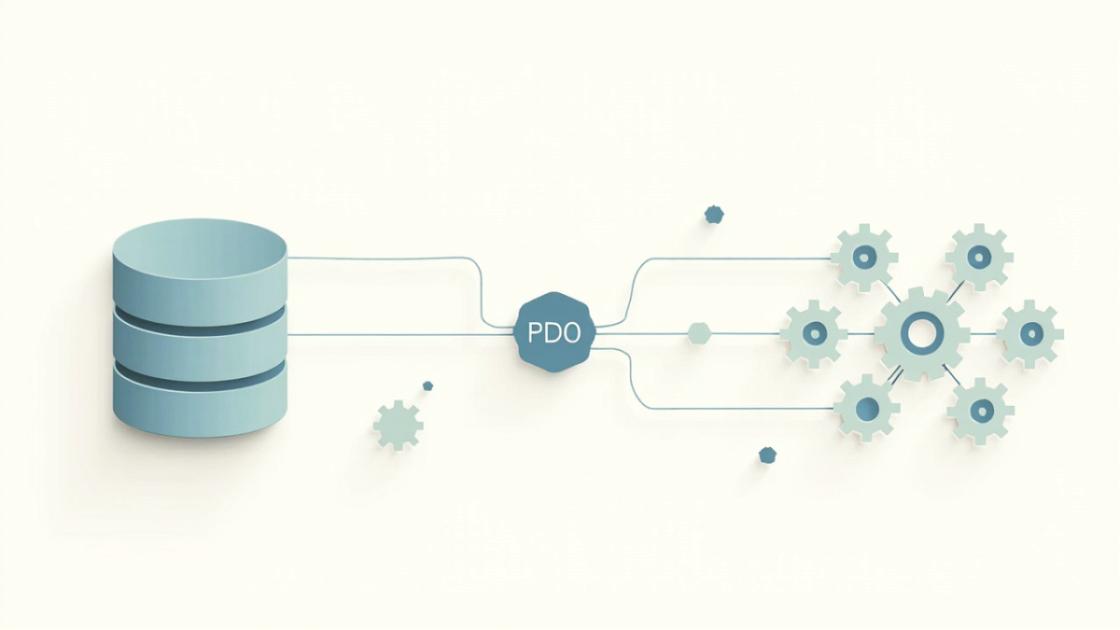
mysql在升到php7后,原有的mysql_*函数都没有了,如果要迁移,可以参考 这一篇:https://stackoverflow.com/questions/36073703/mysql-to-pdo-comparison-table
|
|
MySQL_ Original Driver to PDO Comparative TableIntroduction: This table is not intended to be a tutorial or a guide to PDO, but to provide a correspondence between MySQL_ and PDO. So, some important PDO commands are missing, if they don't have a MySQL_ correspondence. Among these omitted commands, there is a major PDO feature, the prepared statements. I strongly recommend to use it, also if only cited in this guide. This is a very extended answer. I'm sorry for the low quality of spelling (I'm not english) and for the typos. I will try to correct and improve it in the next few days. Any suggestion or contribution is welcome. Naming Conventions: To avoid misunderstanding, in this answer I use:
In PDO, we have two major object types, the PDOObject (the connection between PHP and a database server) and the PDOStatement (a prepared statement and, after the statement is executed, an associated result set). In this answer, variable names are:
|
如题。感觉棒棒的!
如题,由于切换服务器从linode到香港,顺手将PHP升到了7。
当然 ,之前yii2有一个queue,这个queu简单到只有一个run/job,其他都没有。这回终于来一个完善的了。说实话,有时候用laravel,就是因为想用他的queue。现在终于不用纠结了!
再细看一下他的composer.json。。。还是逃不脱SF的大坑!不过总算是有队列了,管它呢。这年头,所有框架最后都会被SF大一统么?
先到这里看一下教程:https://github.com/yiisoft/yii2-queue/blob/master/docs/guide/README.md
然后再回到:https://github.com/yiisoft/yii2-queue ,下载代码吧,真正使用也简单,php composer.phar require --prefer-dist yiisoft/yii2-queue,就完事了!
不过这个玩意,估计在windows下面是无效的,常用方法有:
// Push a job into queue and get massage ID.
$id = Yii::$app->queue->push(new SomeJob());
// The job is waiting for execute.
Yii::$app->queue->isWaiting($id);
// Worker gets the job from queue, and executing it.
Yii::$app->queue->isReserved($id);
// Worker has executed the job.
Yii::$app->queue->isDone($id);
估计以后的项目,默认就直接引用:yiisoft/yii2 , yiisoft/yii2-queue了!
看这里: https://blog.jetbrains.com/phpstorm/2017/06/php-annotated-monthly-june-2017/
PHP 7.2 will have some great new features, keep your eye on this blog for a roundup once I’ve had a chance to look at the alpha in the coming weeks.
Other good posts on PHP and general development this month:
We’ve got the usual slew of Laravel and Zend Framework posts, along with some interesting posts for WordPress, Yii and some more useful articles on Composer and Packagist.
Yii
Laravel
Zend Framework
Symfony
Other
There was an interesting interview with Taylor Otwell, creator and lead developer of Laravel tells us why Taylor Otwell Wants You To Build Your PHP Apps On Laravel. I also enjoyed an interview with Anna Filina On PHP Trainings And Future Of PHP Frameworks.
An interesting question is posed in Can 9-to-5 Developers Be Good Developers? While I disagree vehemently with some of the points made in the article, it makes for an interesting discussion.
This month I’ll be at PHP South Coast in Portsmouth this week, and DPC in Amsterdam at the end of the month. Make sure you come and say “Hi!” if you see me at any events.